
REFORMER EQUIPMENT BUYING GUIDE
Pilates Reformer With Screen: Built-In or Separate Display?
Choose the reformer and the digital setup together: compare a built-in screen with a separate tablet or room display, then verify what each option actually includes.
Do you need a built-in screen?
A Pilates reformer with a screen can put digital classes within view, but the display alone does not define the experience. A built-in system may combine a screen, software and a content service. A separate tablet or room display lets you select those items independently. Neither arrangement automatically provides movement tracking, personal feedback or live teaching.
Start with the sessions you want to follow and the mechanical reformer you need. Then decide where the display should sit, who will use it and how it will be supported. For a home buyer, an existing tablet may be worth evaluating before choosing dedicated hardware. For a studio, visibility and permission to use the content in classes need equal attention.
Three different things a screen might do
- Play recorded or live video. The screen displays instruction. Watching a class video does not measure carriage movement or provide the instructor with a view of the user.
- Show equipment or movement data. This requires a documented source of data, such as compatible sensors, plus software that supports it. Ask which measurements are available and whether they remain visible on an external screen.
- Support two-way sessions. Remote interaction may need a camera, microphone, suitable room position and a service that explicitly offers it. Watching a live broadcast is different from receiving individual feedback.
Have the seller demonstrate the exact function you expect. Do not assume that the words “connected” or “smart” include all three. A screen does not replace appropriate instruction or establish that an exercise suits a particular person.
Built-in or separate: compare the trade-offs
| Built-in display | Separate tablet or room display |
|---|---|
| Position: check its adjustment range and visibility during the intended exercises. | Position: choose a stable location; confirm that stands and cables stay clear of moving parts and access routes. |
| Software: confirm available services, account requirements and whether other applications can be installed. | Software: check the course service on your actual device; a large display may still need a separate player. |
| Connection: ask what continues to work without internet or an active subscription. | Connection: verify wired or wireless output, audio and any restrictions on the chosen content. |
| Replacement: establish whether a failed display can be repaired independently of the machine. | Replacement: establish who supports the reformer, display, mount and software separately. |
A built-in arrangement may simplify a particular setup. A separate display may allow more choice of devices. Confirm both against an actual demonstration; the mounting design, software restrictions and support terms determine the practical result.
Check compatibility and the digital service
Write down the full chain: course service, account, playback device, connection and display. Confirm the supported operating system and software version, not just the screen size. Ask whether video, audio, controls and any promised metrics all work through that chain.
Wireless output is not universal. A compatible receiver and the required network setup matter, and some video applications restrict wireless playback. Check the device maker's official wireless-display requirements for the devices involved, then test the actual course application. Successful video playback does not prove that equipment data or interactive features will also transfer.
Before ordering, confirm which content is included, what requires a subscription, how renewal and cancellation work, and which countries and languages the service supports. Ask whether access is available at your delivery address and what happens if the service changes. Do not assume that buying a screen includes unlimited content or future software support.
Checks for your intended use
Home practice
Try viewing the screen from the positions used in the intended class, rather than only while standing beside the machine. Check volume and controls without reaching across moving equipment. If you already own a tablet, identify a stable placement before buying an additional display. Confirm whether another household user needs a separate account.
Studios
Ask the content provider for written permission covering your proposed class format. A personal subscription does not establish commercial-use rights. Clarify whether one display can serve a room, how many simultaneous devices are permitted and who controls playback. Review visibility from every station, network capacity and how an instructor will supervise participants. Keep camera placement and participant privacy in view if sessions are interactive.
Wholesalers and retailers
Request a sample demonstration of the exact bundle you plan to sell. Agree separate product descriptions for the mechanical equipment, display and digital service. Establish who handles activation problems, software updates, damaged electronics and mechanical spare parts in each market. Obtain permission for any product media or course screenshots you intend to publish.
Request a demonstration and a support breakdown
Ask for an unedited demonstration that identifies the model, screen hardware and software used. It should show setup, playback controls, the viewing position during movement and any specifically claimed data or two-way function. For several machines, demonstrate the proposed number of devices connected at the same time.
Request separate written coverage for the frame, mechanical components, electronic hardware and digital service. Include exclusions, replacement-part shipping, repair arrangements and the support contact. Establish whether the reformer remains usable if the screen or subscription is unavailable. Do not treat a frame warranty as evidence that a display or third-party service has the same coverage.
Request equipment options for your setup
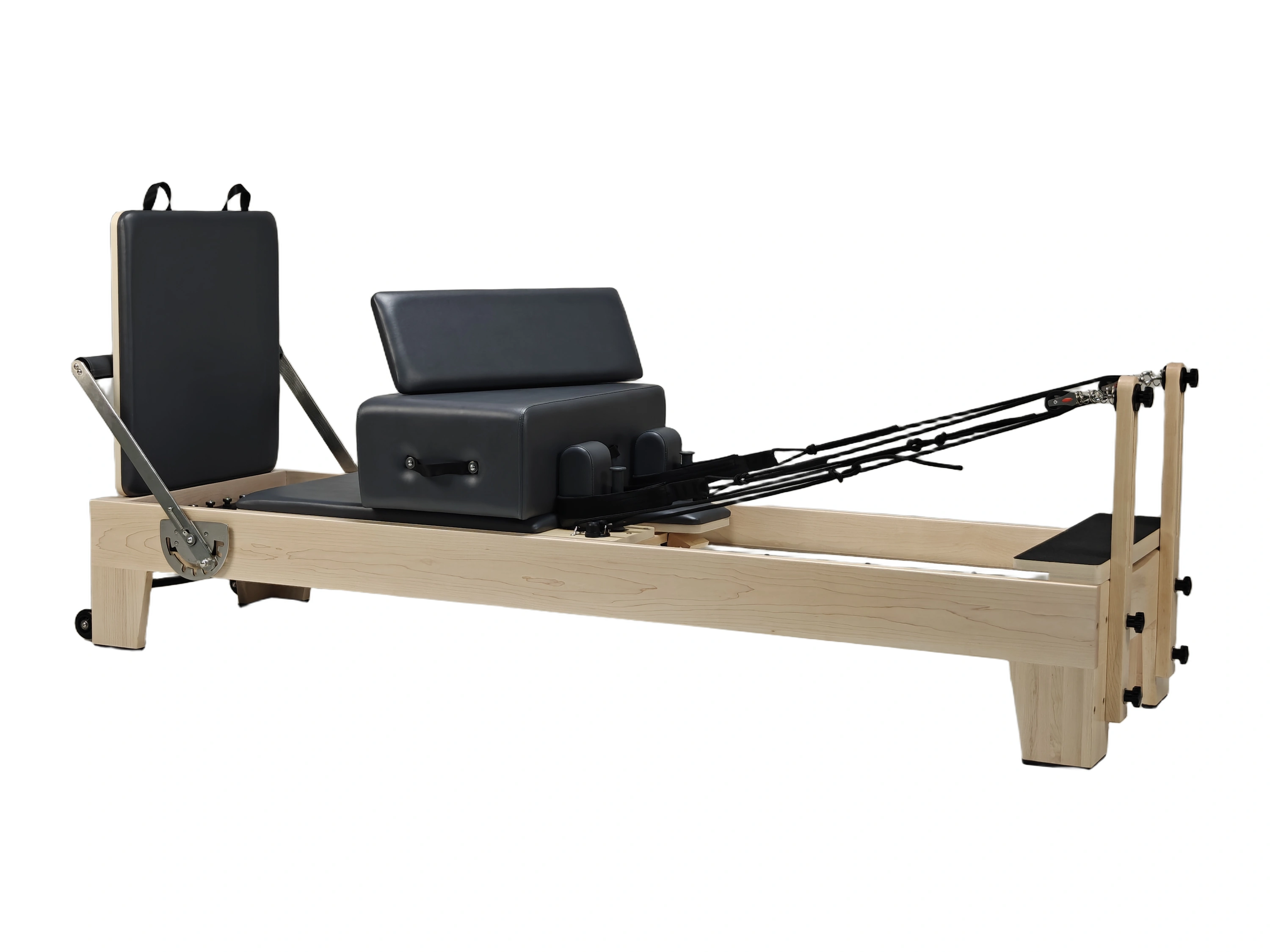
The Oak Pilates Reformer ATUSCC011 and Maple Pilates Reformer ATUSCC001 are mechanical equipment options to review. Use these models to compare the mechanical equipment. Confirm the supplied configuration and any separate display, mounting or digital-service requirements in your quotation.
Shijiazhuang Atus Trade Co., Ltd. supplies Pilates equipment with no minimum order quantity; single-unit, sample and mixed-model enquiries are welcome. Our equipment warranty is 3 years on the frame and 1 year on other components; this does not establish coverage for third-party electronics or digital services. DDP is available to most countries, with destination availability and delivery scope confirmed in the quotation.
For the machine itself, our wooden reformer buying guide covers the next comparison questions.
Tell us about your equipment setup
Include your home, studio or resale use; quantity; delivery country and postcode; available space; any display equipment you already own; and the video, data or interaction functions you need. We will confirm the equipment options and quotation scope.